
Docs / Publish to your CMS
CMS Integrations
Wavefront writes and manages your content; your CMS is where it gets published. Connect the platform your site already runs on and every publish (manual, agent-driven, or autopilot) lands there automatically, with images, SEO fields, and draft/live state handled for you.
This section covers:
- Connecting your CMS - setup guides for every supported platform
- How publishing works - staging vs. production, images, updates, and unpublishing
- Webhooks & feeds - integrate a custom site, or pull content instead of pushing it
Supported platforms
| Platform | Body format | Draft staging | Image uploads | Re-import for editing |
|---|---|---|---|---|
| Contentful | Rich text | Yes (separate environment) | Yes | Yes |
| WordPress | HTML | Draft posts | Yes (media library) | Yes |
| Webflow | HTML (rich text field) | Draft items | Hero via public URL | Yes |
| Ghost | HTML | Draft posts | Yes | Yes |
| Shopify (blog) | HTML | Unpublished articles | Hero via public URL | Yes |
| HubSpot (blog) | HTML | Draft posts | Hero via public URL | Yes |
| Sanity | Markdown | drafts. documents | Via public URL | Yes |
| Strapi | Markdown | Unpublished entries | Via public URL | Yes |
| Markdown + Git (GitHub) | Markdown + frontmatter | Staging branch | Via public URL | Yes |
| Custom webhook | JSON (markdown + HTML) | Yes (target field) | Via public URL | - |
Don't see your platform? The custom webhook integration works with any site that can receive an HTTPS POST, and the feeds & content API let your site pull published content instead.
How it fits together
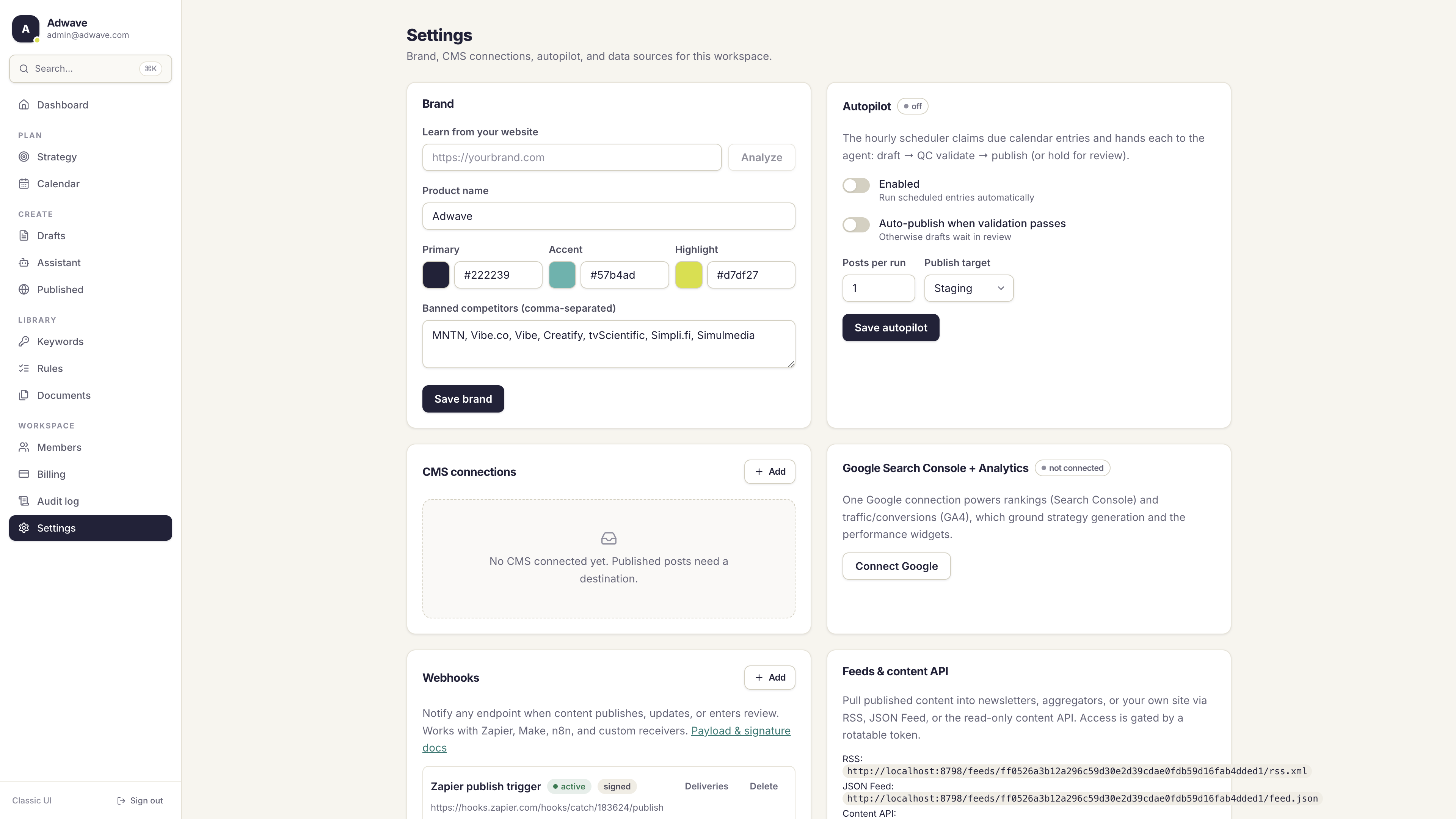
- Connect one or more CMS destinations in Settings → CMS connections. One connection is your workspace default.
- Route (optional): each content strategy can override the default and publish to its own connection. A workspace can, for example, send product content to Webflow and the blog to WordPress.
- Publish: every publish path - the draft editor's Publish button, agent runs, and autopilot - resolves the destination the same way: the strategy's connection if set, otherwise the workspace default.
Security
- Credentials are encrypted at rest (AES-GCM) per workspace. They are never shown back in the UI or returned by the API after saving.
- Connections are live-tested on save with a real auth probe against your platform, so a typo in a token surfaces immediately, not at your first publish.
- Only workspace admins can add, change, or delete connections. Every change is recorded in the audit log (without secrets).
- Destination URLs must be public HTTPS endpoints; private and internal addresses are rejected.
Plan limits
The number of CMS connections per workspace depends on your plan. If you hit the limit, adding a new connection returns a clear quota message; existing connections keep working and can still be updated.