
Docs / The growth loop
The Growth Review: turn your analytics into content that ships itself
The Growth Review is Wavefront's closed loop from analytics back into strategy. Every week it reads your real performance data, finds the highest-leverage content opportunities, and turns them into ready-to-run proposals. You review the evidence, click once, and an AI agent writes (or refreshes) the article.
No spreadsheets, no "we should really look at Search Console sometime." The review does the looking for you.
What it does
Every Monday (or any time you click Run growth review), Wavefront analyzes:
| Signal | Source | What it finds |
|---|---|---|
| Striking-distance queries | Google Search Console | Searches where you rank positions 5-20 with real impressions. One good push moves these to page one. |
| Content decay | Google Search Console | Pages whose clicks dropped compared to the prior period. Usually fixable with a refresh. |
| Conversion gaps | Google Analytics 4 | Pages pulling meaningful traffic but converting at zero. The content works; the call-to-action doesn't. |
| Stat refreshes due | Your published content | In January, April, July, and October, statistics posts that need their new quarter-stamped edition. |
A frontier reasoning model (our strategy-tier AI) turns those findings into a small set of concrete proposals: at most 5 per run, so your inbox stays useful. Every proposal carries the exact metric rows that justified it, so you always see the why before you approve anything.
Wavefront also enforces noise controls in code, not just in the prompt:
- Cannibalization check: proposals that collide with a keyword you already target are dropped.
- Duplicate check: proposals matching a title already on your calendar are dropped.
- Automated QC: every proposal gets a pass/warn/fail verdict (title hygiene, strategy alignment, audience fit, banned-topic checks) shown as a badge on its card.
Where proposals show up
Proposals land in the Needs your review queue on your home screen (alongside anything else waiting for your decision), each with its evidence line and QC verdict:
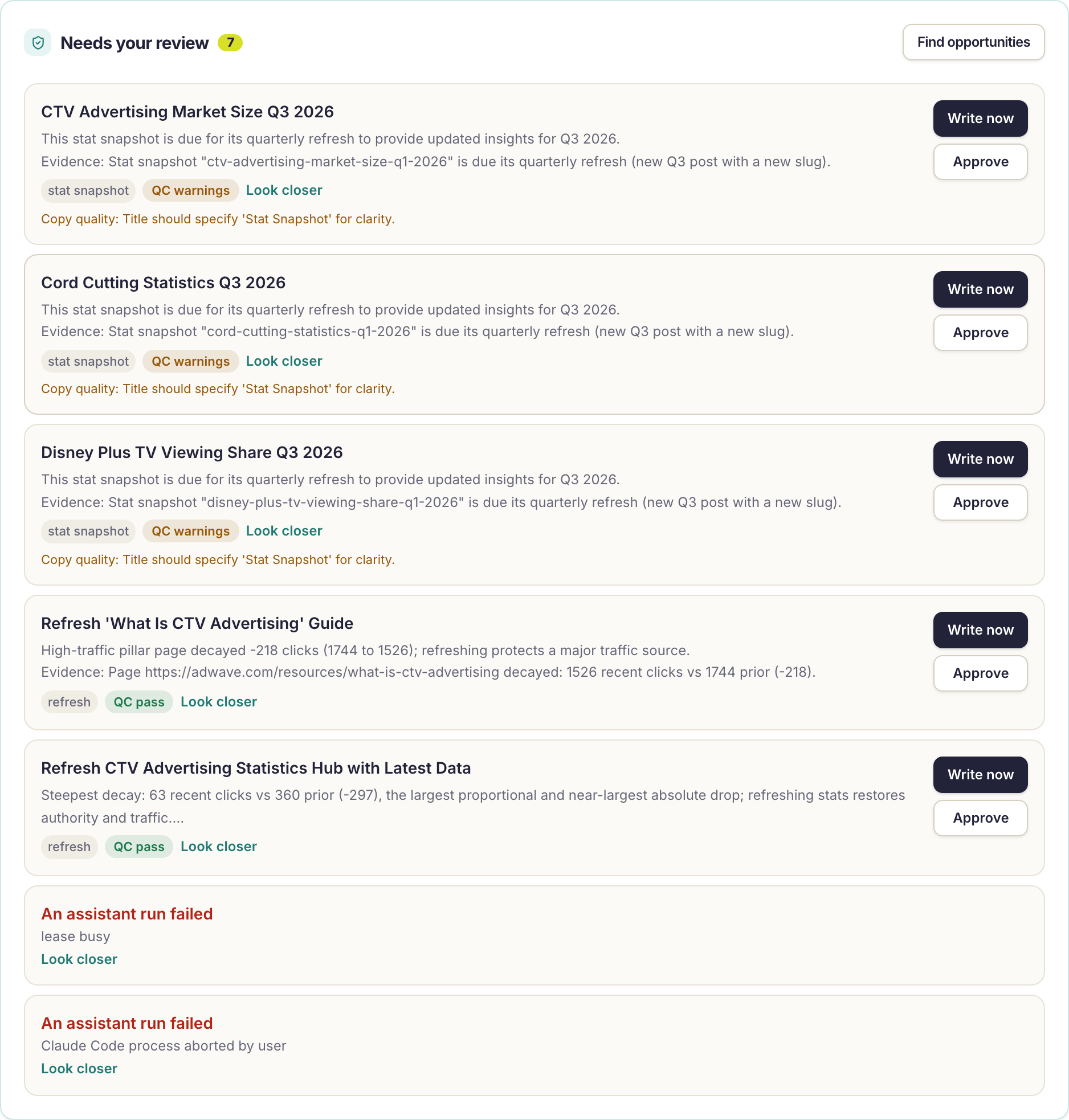
Each card shows:
- The proposal title — what the agent will write.
- The rationale and evidence — the metrics that justified it (e.g. "Stat snapshot 'cord-cutting-statistics-q1-2026' is due its quarterly refresh").
- Badges — content stream, resource type, and the QC verdict (QC pass / QC warnings / QC fail, with the specific findings listed underneath).
Implementing a proposal (one click)
Every proposal has two buttons:
- Write now — approves the proposal and immediately starts an AI agent run that writes the article. Refresh proposals update the existing article instead of writing a duplicate; stat refreshes create the new quarter-stamped post. The evidence travels into the run, so the agent knows exactly what to fix and why.
- Approve — approves the proposal for your autopilot schedule. The article gets written automatically at the next scheduled slot instead of right now.
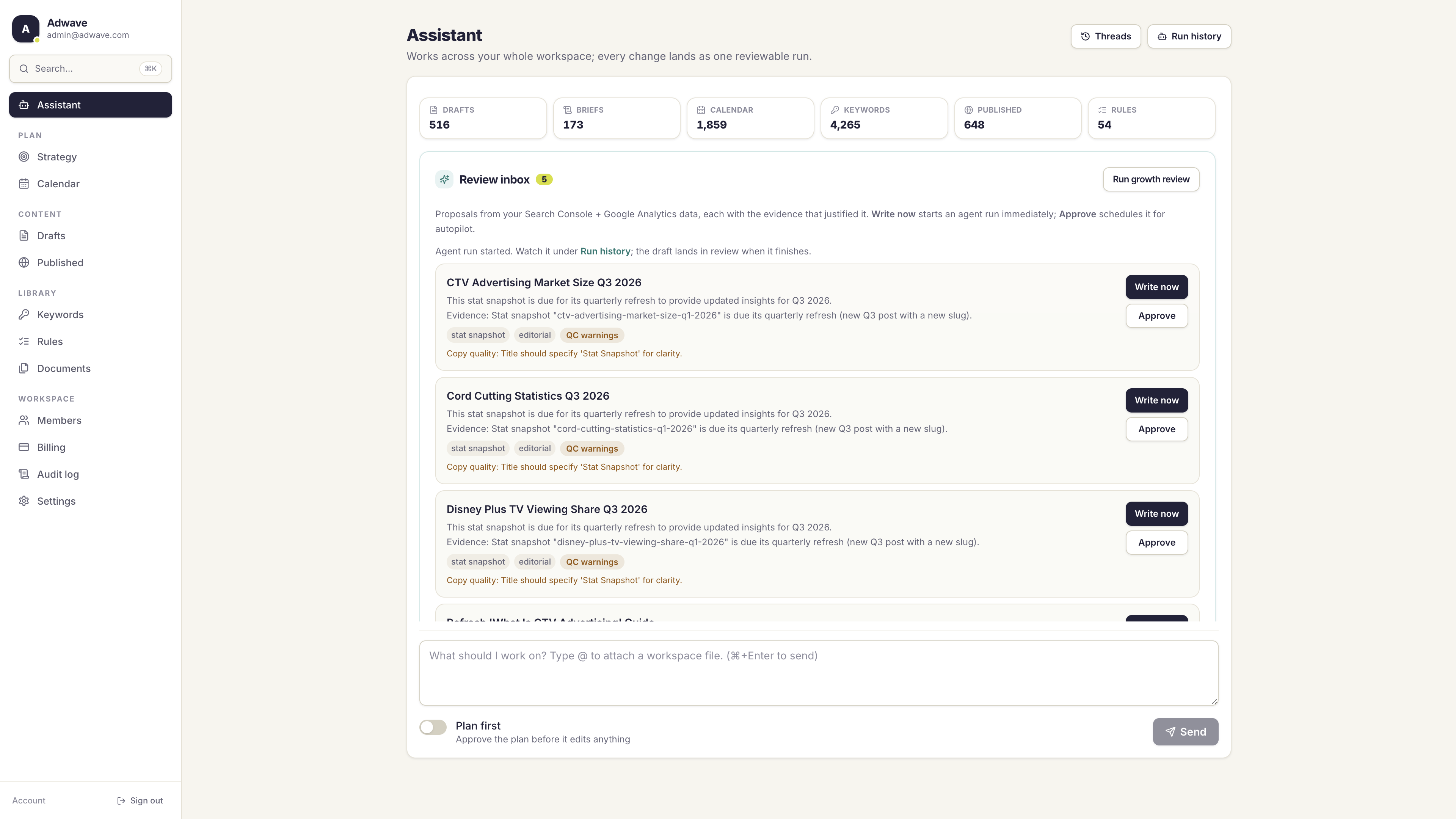
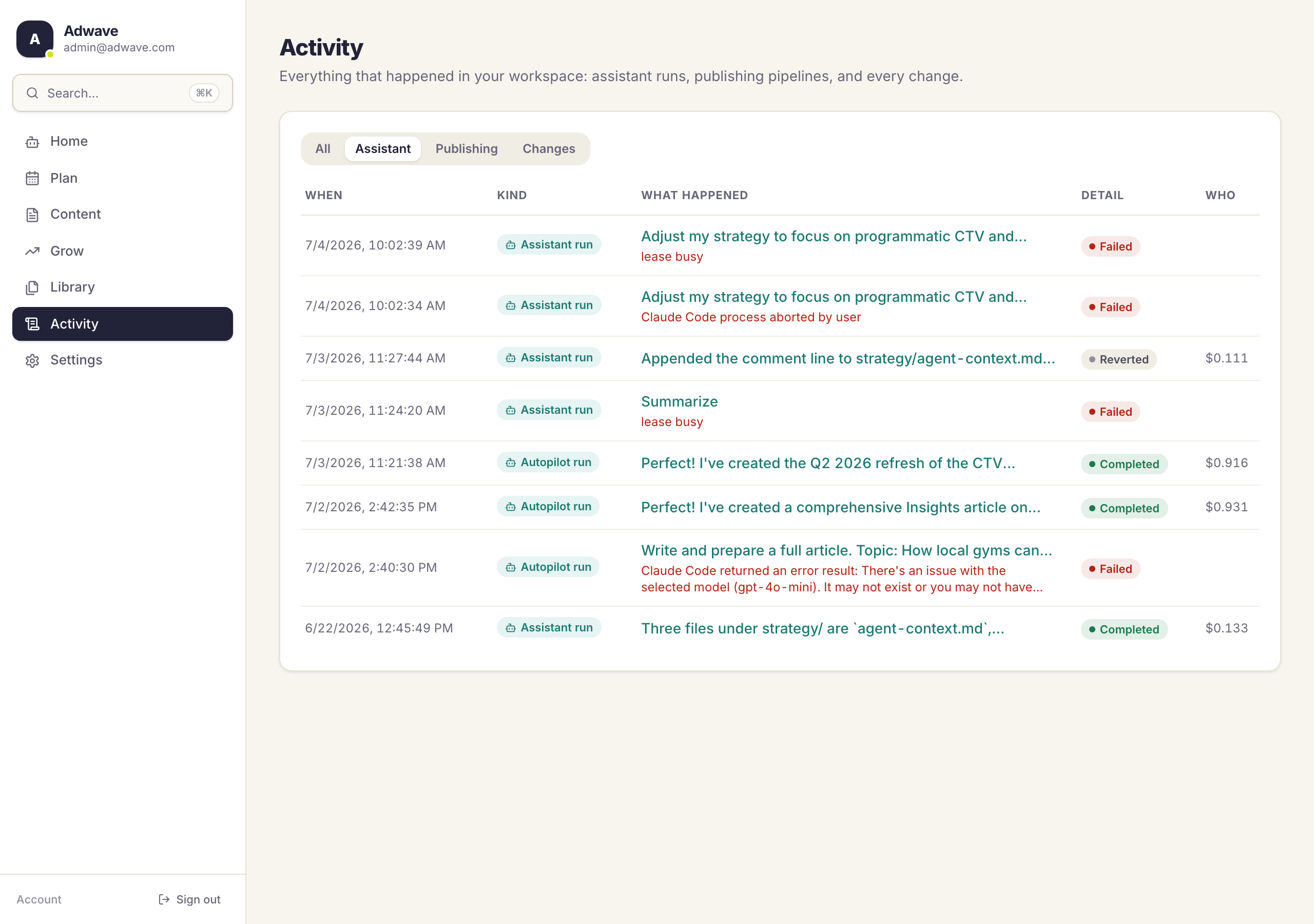
When you click Write now, the run appears immediately under Activity. Every run lands as a single reviewable changeset: you can see every file the agent touched, revert any of it, and the draft goes through the full QC rules engine before it can publish.
Nothing publishes without passing validation. If your autopilot is set to "hold for review," the finished draft waits for your approval like any other draft.
Implementing from chat
You can also work the review queue conversationally. The Assistant can see your proposals, their evidence, and their QC verdicts. Try:
- "Review the proposals waiting for me and tell me which are worth approving."
- "Implement the top proposal from my review queue."
- "Refresh the cord-cutting statistics post the growth review flagged."
When you have proposals waiting, the Assistant's home screen suggests these actions automatically. The agent reads the proposal's evidence, writes or refreshes the draft in your workspace, and the change lands as the same reviewable, revertable run.
Running it on demand
The review runs automatically every Monday, but you don't have to wait:
- Click Find opportunities at the top of the review queue, or
- Ask the Assistant: "Run a growth review now."
Each run re-reads your latest Search Console and Analytics data, so running it after a big traffic shift (or right after quarterly data lands) is a good habit.
What powers the recommendations
The Growth Review runs on our strategy-tier AI: a frontier reasoning model (Opus/Fable class), not the lightweight model used for routine copy tasks. Strategy decisions get the strongest model; usage is metered in credits like everything else, and a weekly review typically costs just a few credits.
Setup
The review needs your performance data connected:
- Go to Settings → Connections → Google.
- Connect the Google account that has access to your Search Console property and GA4 property.
- Select your Search Console property (for query and click data) and your GA4 property (for traffic and conversion data).
Wavefront ingests fresh data nightly. Search Console data lags 2-3 days and GA4 settles within about 48 hours; that's normal and the review accounts for it.
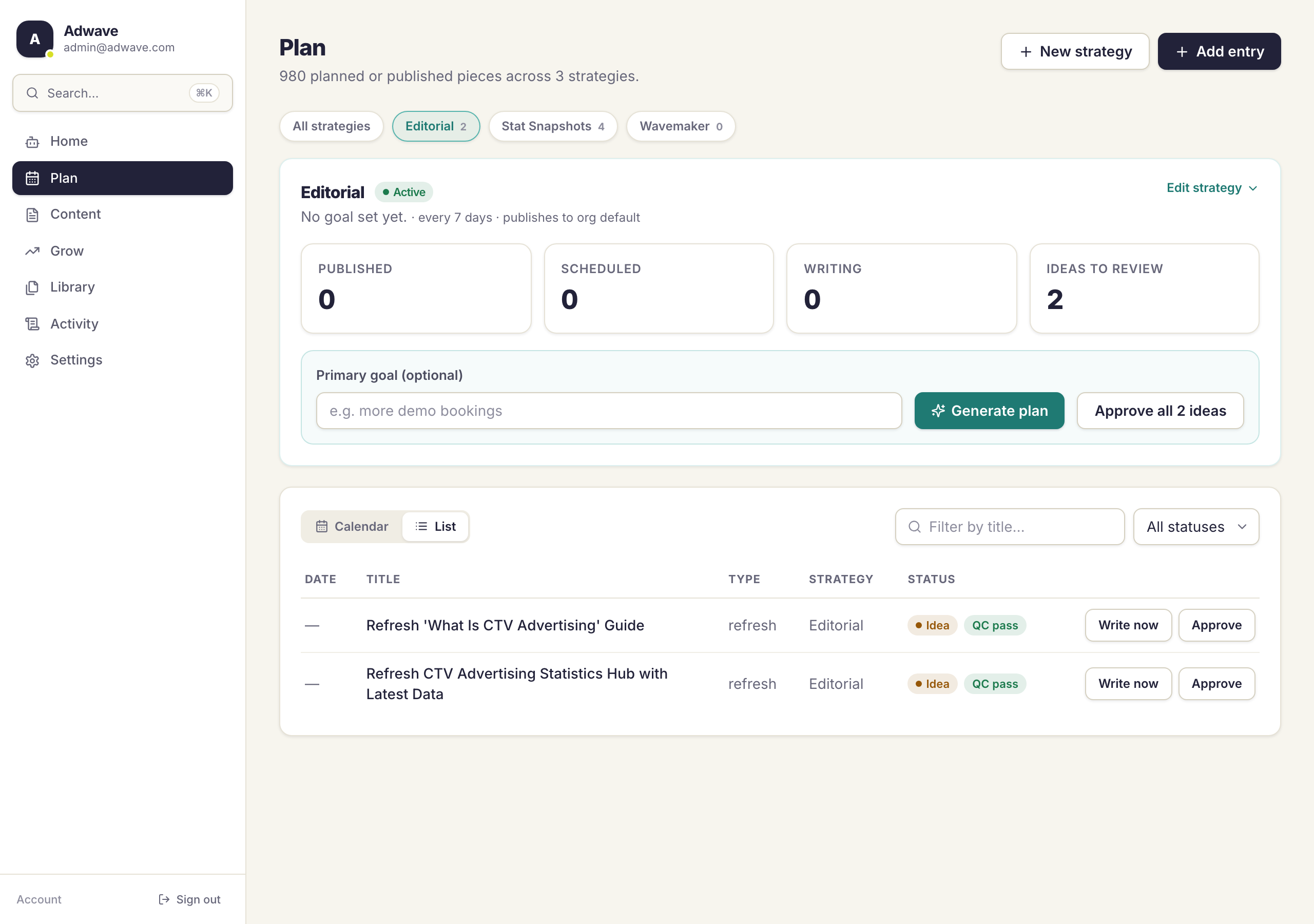
If you haven't connected Google yet, the review still works with what it has: your published stat posts still get quarterly refresh proposals, and the Plan page's strategy panel fills in its stats as soon as data arrives (performance tables live under Grow → Overview).
Common questions answered
How many proposals will I get each week? At most 5 per run, and often fewer. The review only proposes actions the evidence supports; an empty queue on a good week is the system working, not failing.
Will it propose something I've already written? No. Every proposal is checked against your tracked keywords and your existing calendar before it reaches the queue. Collisions are dropped automatically.
What's the difference between Write now and Approve? Both approve the proposal. Write now starts the agent run immediately; Approve leaves it for your autopilot schedule to pick up at the next slot. Use Write now when you want the draft today.
Does Write now publish the article automatically? No. Write now always produces a validated draft that lands in your review queue for you to approve and publish. If you want proposals published automatically per your autopilot settings, use Approve instead and let the scheduled autopilot run them.
What happens with refresh proposals? Proposals that carry a refresh marker update the existing article rather than writing a new one. Quarterly stat refreshes are the exception by design: they create a new quarter-stamped post and leave the original live for the historical record.
How much does a growth review cost? The weekly review itself is a single strategy-model call, typically a few credits. Implementing a proposal is a normal agent run, metered like any other and capped by your plan's per-run budget.