
Docs / Publish to your CMS
Webhooks & Feeds
Three ways to integrate a site or workflow that isn't one of the built-in CMS platforms:
- Custom webhook CMS connection - we push each publish to your endpoint; your code writes it into your system. Use this when your site should be the destination.
- Webhook event subscriptions - we notify your endpoint about content lifecycle events (works great with Zapier, Make, and n8n). Use this for notifications and automations alongside any CMS.
- Feeds & content API - your site pulls published content from us via RSS, JSON Feed, or a read-only JSON API. Use this when you'd rather poll than receive.
The custom webhook CMS connection
Add a connection with provider webhook (Settings → CMS connections → Add), enter your HTTPS endpoint URL, and optionally a signing secret. Saving sends a signed ping you can use to verify your receiver.
On each publish, your endpoint receives a POST:
{
  "event": "publish",
  "target": "production",
  "document": {
    "slug": "your-slug",
    "title": "SEO title",
    "h1": "Page heading",
    "bodyMarkdown": "## Clean canonical markdown…",
    "bodyHtml": "<h2>Rendered HTML…</h2>",
    "seoDescription": "…",
    "shortDescription": "…",
    "resourceType": "Guides",
    "authorName": "Jane Doe",
    "date": "2026-07-01",
    "hero": { "filename": "hero.png", "url": "https://…/pub/a/…/hero.png", "alt": "…" },
    "bodyAssets": [{ "filename": "body1.png", "url": "https://…", "alt": "…" }]
  },
  "sentAt": "2026-07-01T12:00:00.000Z"
}- Image URLs are stable, content-addressed, and publicly fetchable - download them into your own storage or serve them directly.
- Unpublishes send
{ "event": "unpublish", "externalId": "…", "target": "…" }. - Respond with 2xx to acknowledge. Optionally return
{ "id": "your-entry-id", "url": "https://your-site/post" }and we'll track that ID and link the live URL in the dashboard.
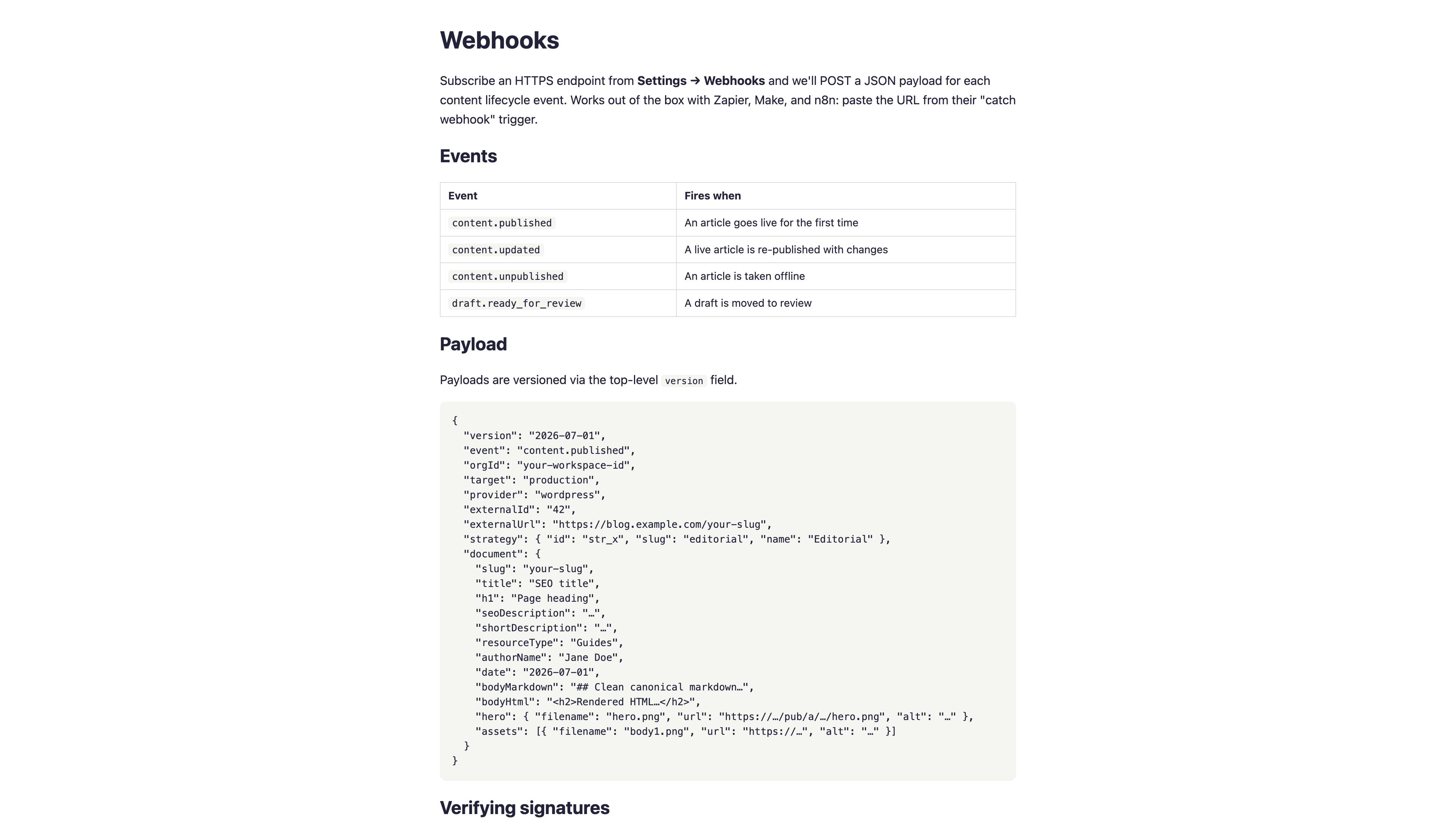
Webhook event subscriptions
Separate from CMS connections: Settings → Webhooks → Add subscribes any endpoint to lifecycle events.
| Event | Fires when |
|---|---|
content.published | An article goes live for the first time |
content.updated | A live article is re-published with changes |
content.unpublished | An article is taken offline |
draft.ready_for_review | A draft is moved to review |
network.placement.proposed | A Link Network placement is proposed for your site to host |
network.placement.live | A placement's link is embedded and live |
network.placement.verified | A live placement passed on-page verification |
network.placement.broken | A previously verified placement failed verification |
network.placement.removed | A placement was removed |
Each delivery POSTs a versioned JSON payload with the event name, the destination provider and external ID/URL, the owning strategy, and the full prepared document (markdown, HTML, and image URLs). Delivery headers:
X-Waveform-Event- the event nameX-Waveform-Delivery- a unique delivery ID (deduplicate on this)
Verifying signatures
Set a signing secret on the subscription (or webhook connection) and every request carries:
X-Waveform-Timestamp- unix milliseconds when the request was signedX-Waveform-Signature-V2-sha256=<HMAC-SHA256(secret, "{timestamp}.{body}")>
Verify the signature and reject stale timestamps (older than ~5 minutes) to prevent replay:
import crypto from "node:crypto";

function verify(req, rawBody, secret) {
  const ts = req.headers["x-waveform-timestamp"];
  const sig = req.headers["x-waveform-signature-v2"];
  if (!ts || !sig || Date.now() - Number(ts) > 5 * 60_000) return false;
  const expected = "sha256=" +
    crypto.createHmac("sha256", secret).update(`${ts}.${rawBody}`).digest("hex");
  return crypto.timingSafeEqual(Buffer.from(sig), Buffer.from(expected));
}
(A legacy X-Waveform-Signature header signs the body alone, for receivers built before timestamps were added. Prefer V2.)
Delivery & retries
Non-2xx responses and timeouts are retried with exponential backoff - 1 minute, 5 minutes, 30 minutes, 2 hours, 12 hours - for up to 6 total attempts. Respond 200 quickly and process asynchronously.
Every delivery (with status, attempts, and the endpoint's last response code) is visible under Settings → Webhooks → Deliveries, where you can also redeliver manually.
Feeds & content API
Settings → Feeds & content API generates a workspace token that gates three read-only endpoints:
- RSS:
/feeds/{token}/rss.xml - JSON Feed:
/feeds/{token}/feed.json - Content API:
/api/content/{token}(list) and/api/content/{token}/{slug}(single entry with full markdown/HTML)
Rotate the token at any time; old URLs stop working immediately. This is the simplest way to syndicate published content into newsletters, aggregators, or a site that prefers pulling on its own schedule.